Somebody has emailed you a PDF with the words "please sign and return". 
Ten years ago that meant: print it, sign it, find a scanner, discover the scanner is out of toner, take a photo with your phone instead, email back a slightly crooked JPEG and hope for the best.
Today you can sign a PDF online for free in about a minute. But most "sign PDF online" tools want you to upload the document first, and the documents we sign are, almost by definition, the most personal files we own. So this guide shows you how to add a signature to a PDF without the file ever leaving your computer. 
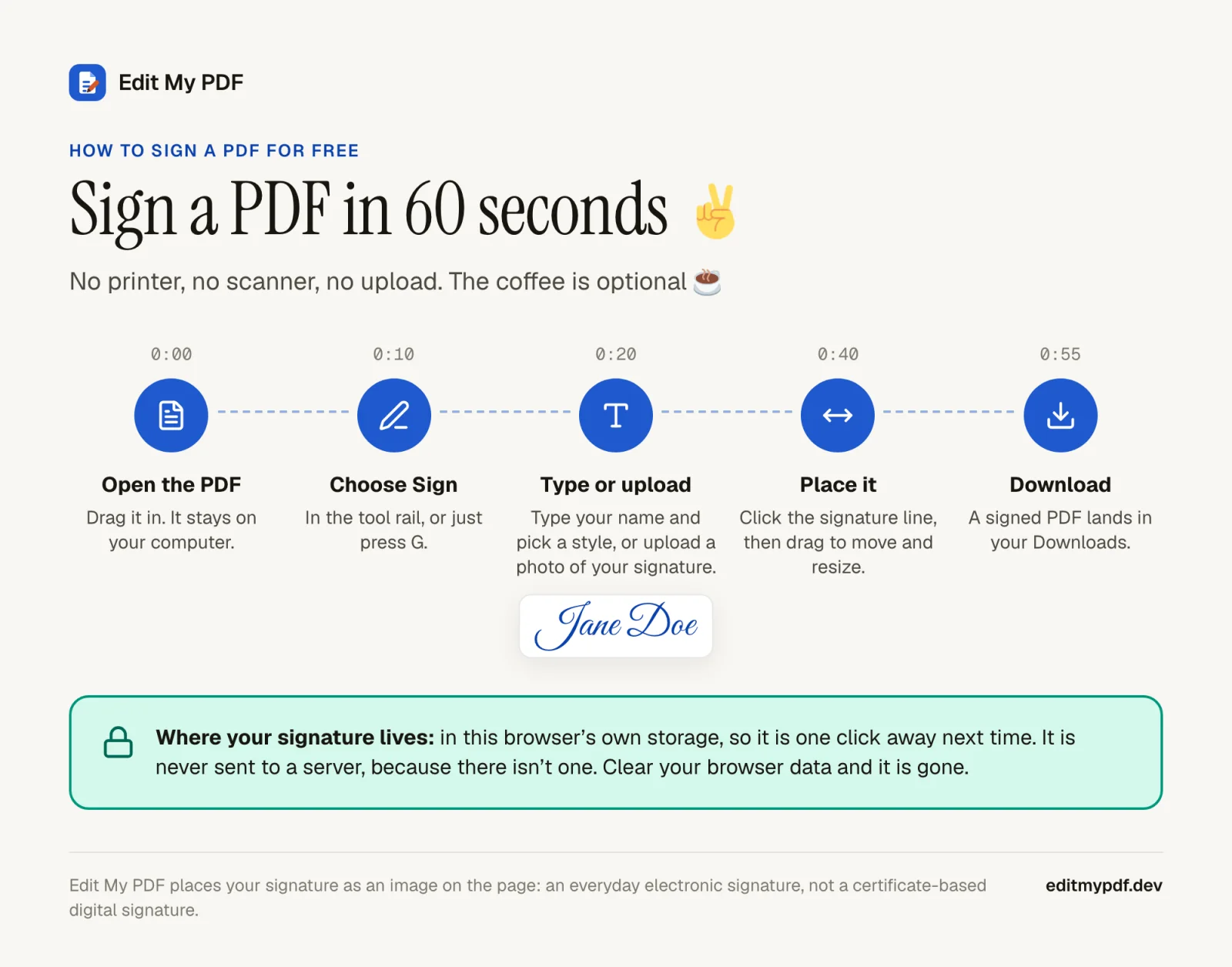
How to sign a PDF in 60 seconds
- 1
Open your PDF.
Go to Edit My PDF and drop the file onto the page. It opens from your disk; nothing is uploaded.
- 2
Choose Sign.
It sits in the tool rail on the left, or press G.
- 3
Make your signature.
Type your name and pick a handwriting style, or upload a photo or scan of your real signature (PNG, JPEG or WebP).
- 4
Place it.
Click where it goes, then drag to move it and pull a corner to resize.
- 5
Download.
The signed PDF lands in your Downloads folder. Send it back and enjoy the rest of your day.

Why signing deserves extra privacy
Think about the last few things you signed. A rental agreement. An offer letter. A loan application. A medical consent form. An NDA.
Now think about what was in them. 
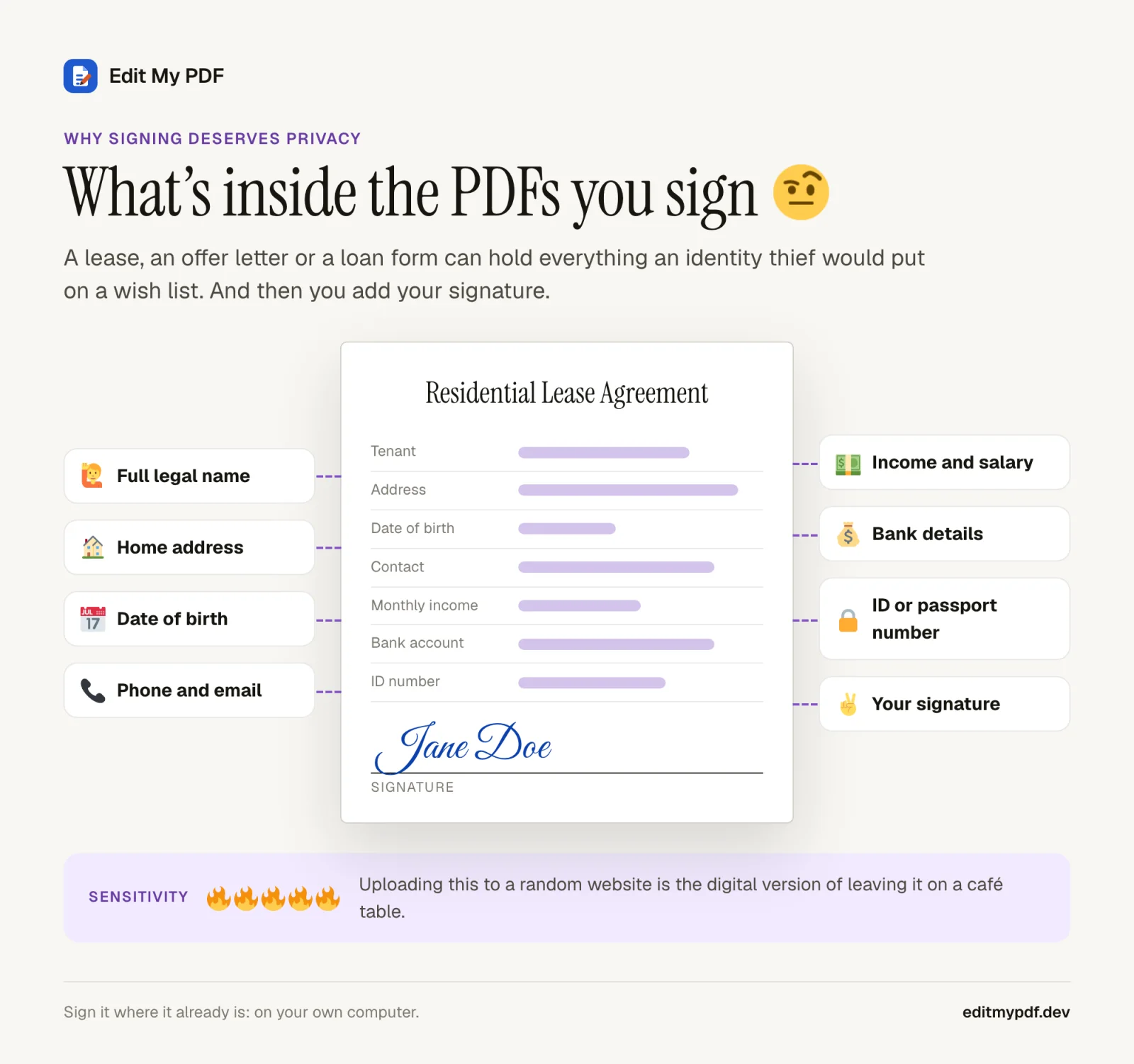
A typical document you are asked to sign can contain your full name, home address, date of birth, salary, bank account details, ID numbers, and then, as the cherry on top, a picture of your signature. That is not a file. That is a starter kit. 
When you upload that document to a free online signing tool, a copy of all of it lives on a server for a while. Published retention windows for popular online PDF tools range from an hour to "until you delete it", and signed documents are often kept longer than other files, because e-signature services keep records. Again: these companies are mostly not villains. But the safest copy of your data is the one that was never made.
Electronic signature vs digital signature (in plain words)
These two terms get mixed up constantly, and the difference matters. 
Electronic signature
A picture or typed version of your signature placed on the document. This is what you get when you "sign" a PDF in most free tools, including Edit My PDF. It is what most everyday paperwork asks for: leases, permission slips, invoices, timesheets, HR forms.
A cryptographic seal tied to a certificate that proves who signed and that nothing changed afterwards. It needs a certificate from a trust provider and is used for some legal, government and financial filings. Edit My PDF does not create these.
Digital signature
Typed or uploaded: which signature should you use?
Typed.
Type your name and choose one of the handwriting styles. Ten seconds, looks neat, and nobody needs to know your actual signature looks like a seismograph reading.
Uploaded.
Sign a sheet of white paper, take a well-lit photo or scan it, and upload it. Looks exactly like you, because it is you.
Either way, the signature image stays in your browser. Edit My PDF never sees it, because Edit My PDF has no "it" on the other end to see anything.
"Trust us" is not a privacy policy. Here's how to check
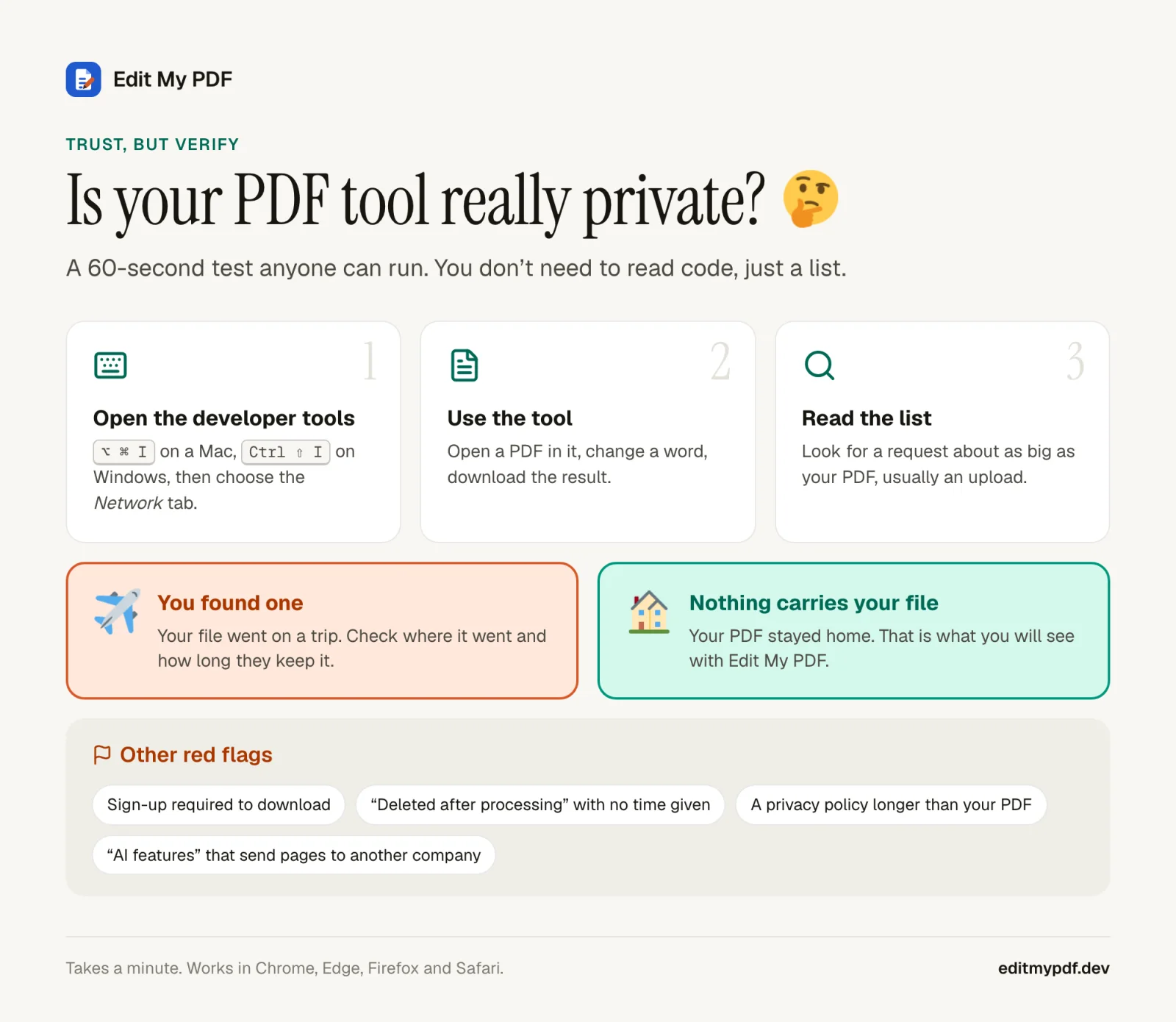
Every PDF website says your files are safe. You do not have to take anyone's word for it, ours included. Your browser can show you every request a page makes, and an upload is hard to hide: it is a request about as big as your file.
- 1
Open the developer tools.
Press ⌥ ⌘ I on a Mac or Ctrl ⇧ I on Windows, Linux and ChromeOS, then pick the Network tab.
- 2
Use the tool.
Open a PDF, sign it, download it.
- 3
Read the list.
Sort by size. If one request is about as big as your PDF, that was your PDF leaving the building.

With Edit My PDF you will see the app loading its own files and nothing that carries your document. That's not a promise in a policy. It's just how the thing is built.
What else can you do while you're there?
Fix a typo before you sign.
Click any line and retype it in the page's own font. Wrong date? Misspelled name? Sorted.
Initial every page.
Place the same saved signature as many times as you need.
Tick boxes and add notes.
Use the pencil, shapes and text to fill in the bits that aren't proper form fields.
No watermark, ever.
Your signed contract won't advertise anyone.
Frequently asked questions
Is it free to sign a PDF with Edit My PDF?
Completely. No account, no trial, no limit on how many documents you sign, and no watermark.
Is my signature stored anywhere?
Only in your own browser's storage on your own computer, so you can reuse it. It is never uploaded. Clearing your browser data removes it.
Can I sign a PDF on a Mac or Windows without Adobe?
Yes. Edit My PDF runs in Chrome, Edge, Firefox and Safari, so it works the same on Windows, macOS, Linux and Chromebooks, without installing Acrobat or anything else.
Is a typed signature legally valid?
In many countries an electronic signature, typed or drawn, is accepted for everyday agreements, but the rules depend on where you are and what you are signing. When it matters, ask the person who sent the document what they accept.
Can I sign on my phone?
The editor runs in mobile Safari and Chrome and understands touch for drawing, dragging and pinch zoom. It is more comfortable on a laptop or tablet, but a phone will do in a pinch. 
Sign it where it already is 
The document is already on your computer. Your signature is already on your computer. There's no good reason for either to take a trip to somebody else's. Open Edit My PDF, sign, download, done. 