You need to change one date in a PDF. One. Single. Date. 
So you search "edit PDF online free", click the first result, and twenty seconds later you are being asked to create an account, accept a cookie banner the length of a novel and upload your file to a server you have never heard of. All for one date.
There is a better way. This guide shows you how to edit a PDF for free, in your browser, without uploading it anywhere, and explains why that last part matters more than most "free PDF editor" lists admit. 
The short version
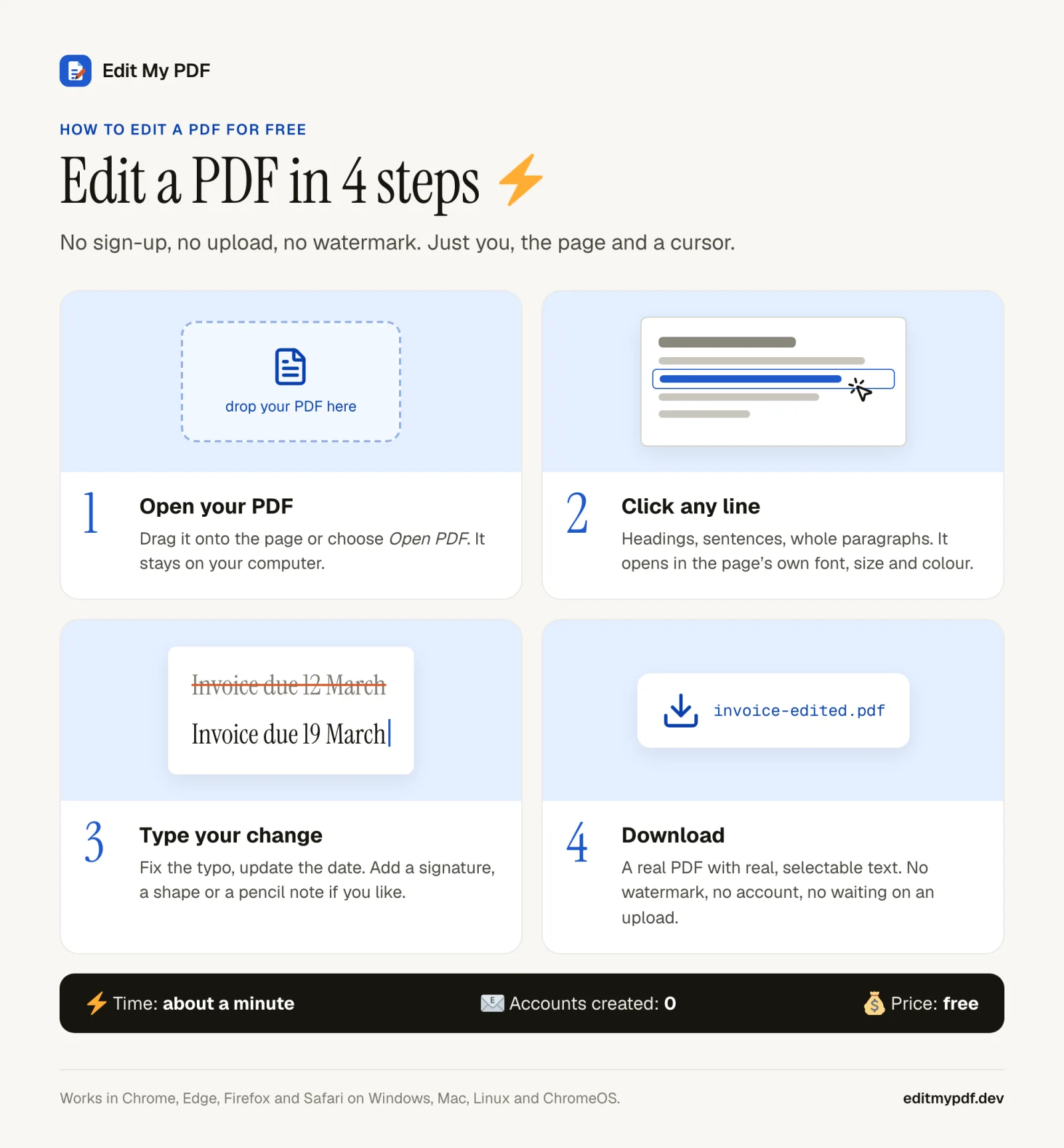
- 1
Open Edit My PDF.
Open it in Chrome, Edge, Firefox or Safari. No account, no install. - 2
Drop your PDF onto the page.
It opens from your disk and stays there.
- 3
Click the line you want to change.
Type your fix. The line opens in the page's own font, size and colour.
- 4
Download.
You get a real PDF with real, selectable text. No watermark.
That's it. If that is all you needed, go and fix your date.  If you are curious why "no upload" is the headline feature, read on.
Why "free" PDF editors usually aren't
Running servers costs money. When a website processes your PDF on its own machines, somebody pays for the electricity, the storage and the engineers, and "free" has to be recovered somewhere. Usually it's recovered from you, in one of these currencies:
Watermarks.
Your contract, now with a logo stamped across it. Very professional.
Task limits.
Two free edits a day, then a friendly pop-up suggests a subscription.
Sign-up walls.
Edit for free, then create an account to download what you edited.
Your file itself.
It travels to their server and stays there for a while.
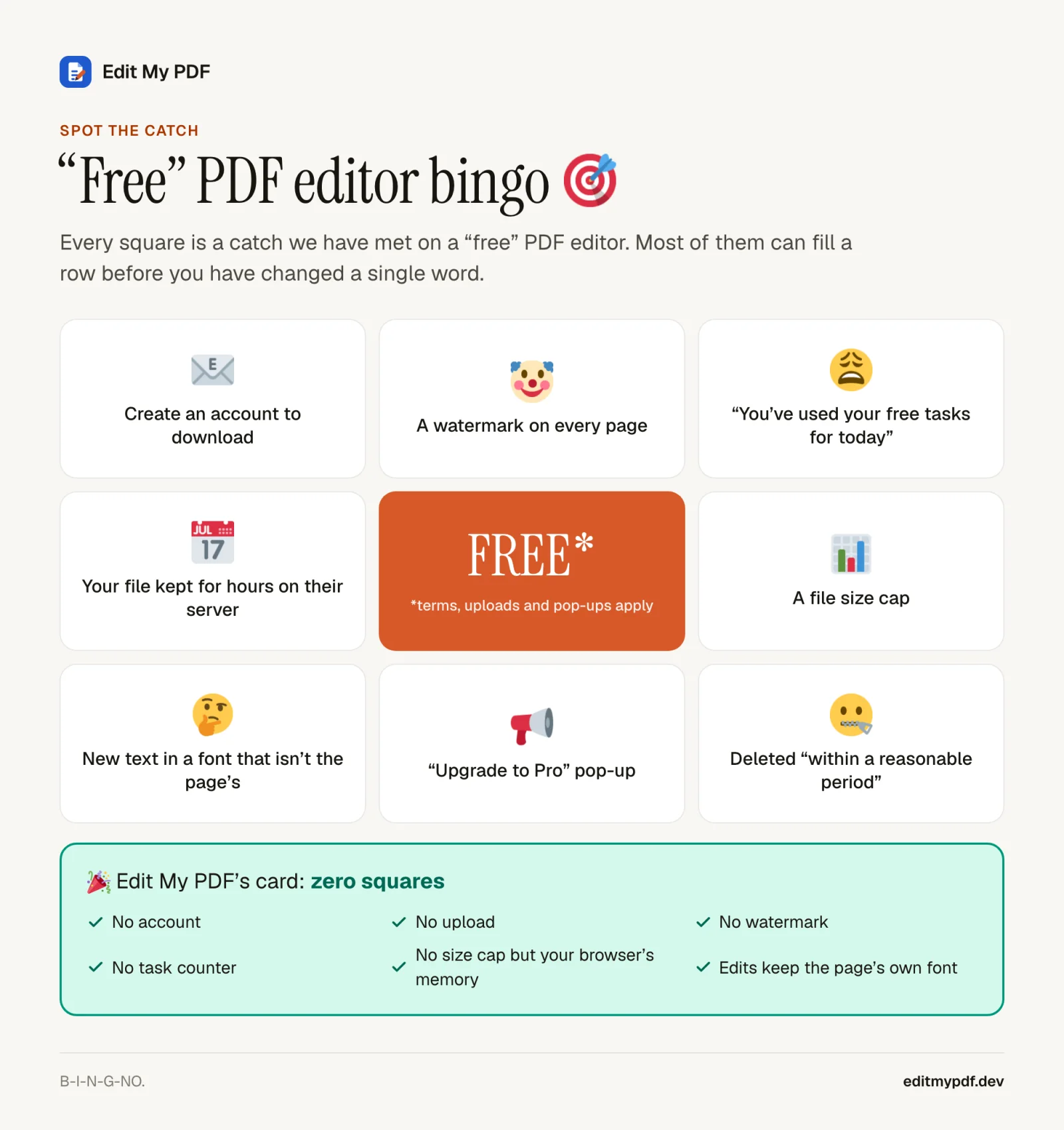
The first three are annoying. The fourth is the one worth thinking about. 
Your PDF's road trip
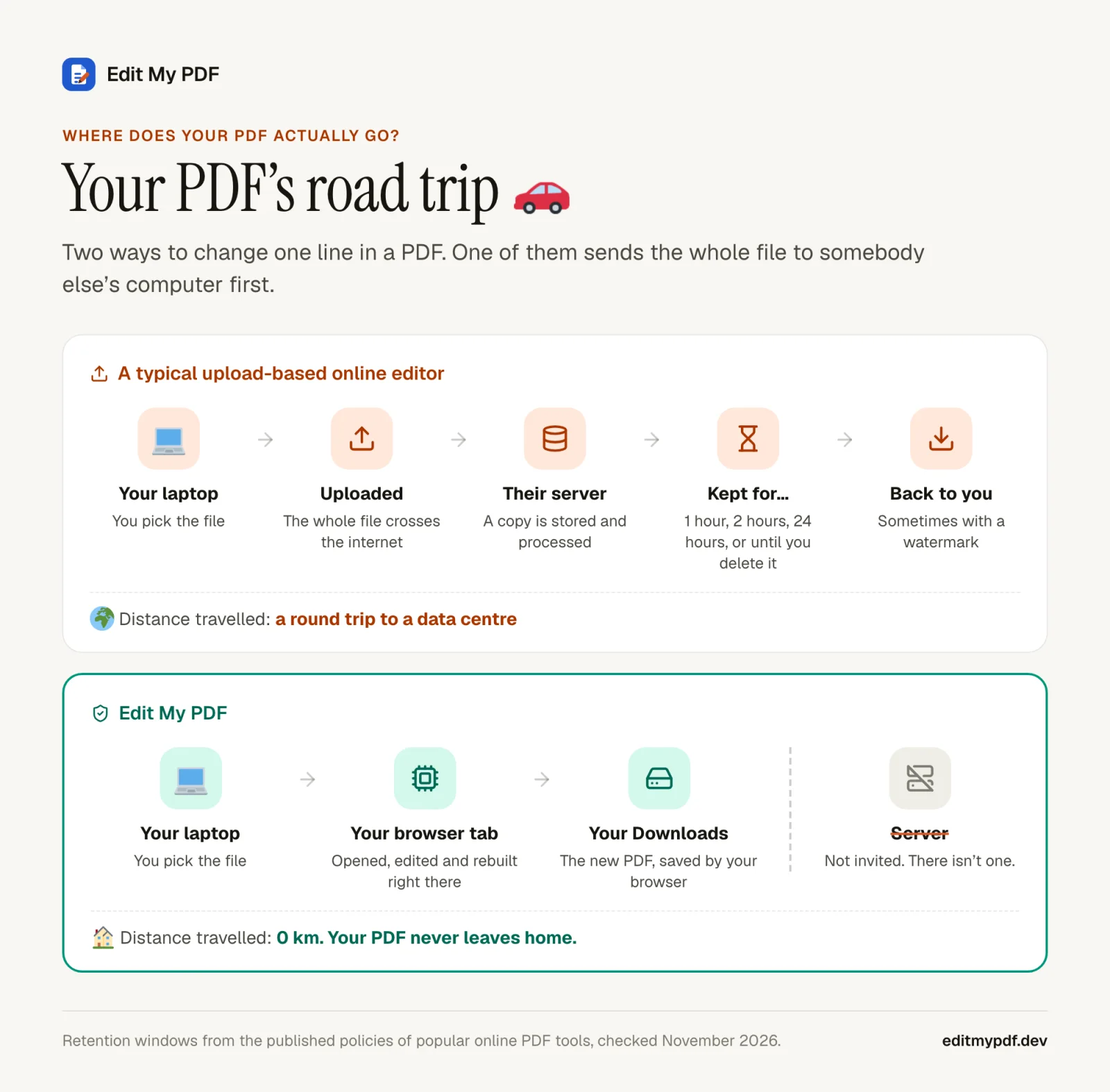
Here is what usually happens when you "edit a PDF online":
- Your browser uploads the entire file to the company's server.
- The server opens it, applies your changes and stores the result.
- You download the new file.
- The original and the result stay on that server for a while.
How long is "a while"? We read the published policies of a dozen popular online PDF tools for our comparison pages. The answers range from one hour, to two hours, to 24 hours, to "within a reasonable period", to "until you delete it". Some tools also send document content to third-party AI services for their AI features.
None of that is necessarily sinister. Most of these companies are doing their best. But think about what goes into PDFs: bank statements, payslips, tax forms, medical letters, contracts, passport scans. Every upload is one more copy of your private life, sitting on one more computer you do not control, protected by one more company's security team. 
How Edit My PDF does it without a server
Edit My PDF has no server to upload to. Literally: the project has no backend code at all. When you open the site, your browser downloads the app itself (some JavaScript, fonts and icons), and from that moment everything happens inside your tab.
Editing.
Your changes are a list kept in your browser's memory, next to the file.
Saving.
The file and your edits go into your browser's own storage on your disk, so a refresh does not lose your work.
If you want the deep-dive, our post on how Edit My PDF is built goes through it piece by piece, and the privacy page lists exactly what the site does and does not collect.
It edits the text that is already there
Plenty of "PDF editors" let you put a white box over the old words and type new ones on top in Arial. From across the room it looks fine. Up close, your carefully typeset invoice now has one line in a different font, slightly too big, slightly too low. 
Edit My PDF does the harder thing. When you click a line, it opens in the PDF's own embedded font, at its exact size, colour, letter spacing and word spacing. When you download, your edit is written back as real text in a subset of that same font, so it can still be selected, searched and copied.
Cover-up editors
- A white box hides the old text
- New text in a substitute font
- Spacing that never quite matches
Edit My PDF
- The original text is replaced
- The page's own font, size and colour
- Real, searchable text in the export
What else you can do (for free, still offline-ish)
Fix text.
Typos, dates, names, prices, whole paragraphs. Bold and italic runs keep their style.
Sign.
Type your name in a handwriting style or upload a photo of your signature. More on that in how to sign a PDF without uploading it.
Mark up.
Pencil, rectangles, ellipses, lines and arrows, plus emoji when a document needs a  .
Undo anything.
Every change is undoable, and the documents screen keeps your recent files in this browser.
What it won't do (honesty corner)
We would rather tell you now than have you find out at 11:58pm before a deadline. 
Frequently asked questions
Is it really free?
Yes. There is no paid plan, no trial and no watermark. Edit My PDF is open source under the MIT licence, and because it needs no servers to run your edits, there is no processing bill for anyone to recover.
Do I need to sign up or install anything?
No. Open the page and drop a PDF in. Nothing to install, no email address, no password to forget.
Can I edit a PDF without Adobe Acrobat?
Yes. For changing existing text, adding a signature and marking up pages, a browser editor like Edit My PDF does the job. You'll still want a full desktop suite for things like OCR or preflight checks for print.
Is it safe to edit confidential PDFs?
The file never leaves your computer, which removes the biggest risk: a copy of your document on somebody else's server. Your own computer still matters, of course. A dodgy browser extension can read any page you have open, so be choosy about those. 
Does it work on a Mac, Windows or a Chromebook?
It runs in current Chrome, Edge, Firefox and Safari, so Windows, macOS, Linux and ChromeOS are all fine. Phones work too, though the panels are happier on a laptop or tablet screen.
Go fix that date 
You came here to change one line in a PDF. Open Edit My PDF, drop the file in, click the line and type. Your PDF stays home the whole time, the way it should have all along. 